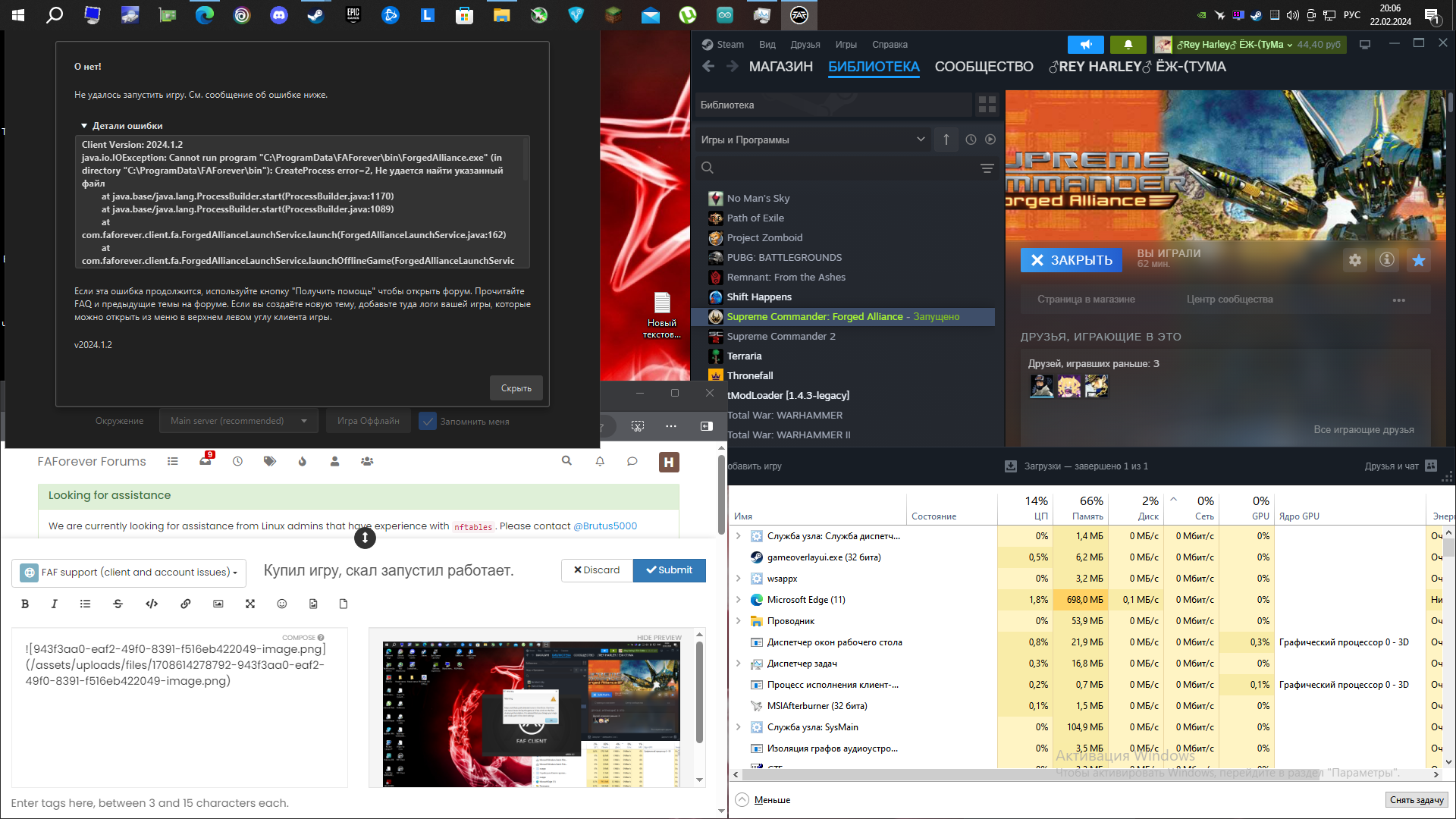
Купил игру, скачал запустил работает. Скачал FAF из офиц сайта запустил вывхводит ошибка. Смотрел в сообществе писали надо переместить игру в вC:/ProgramData/FAForever/Bin.
-
-
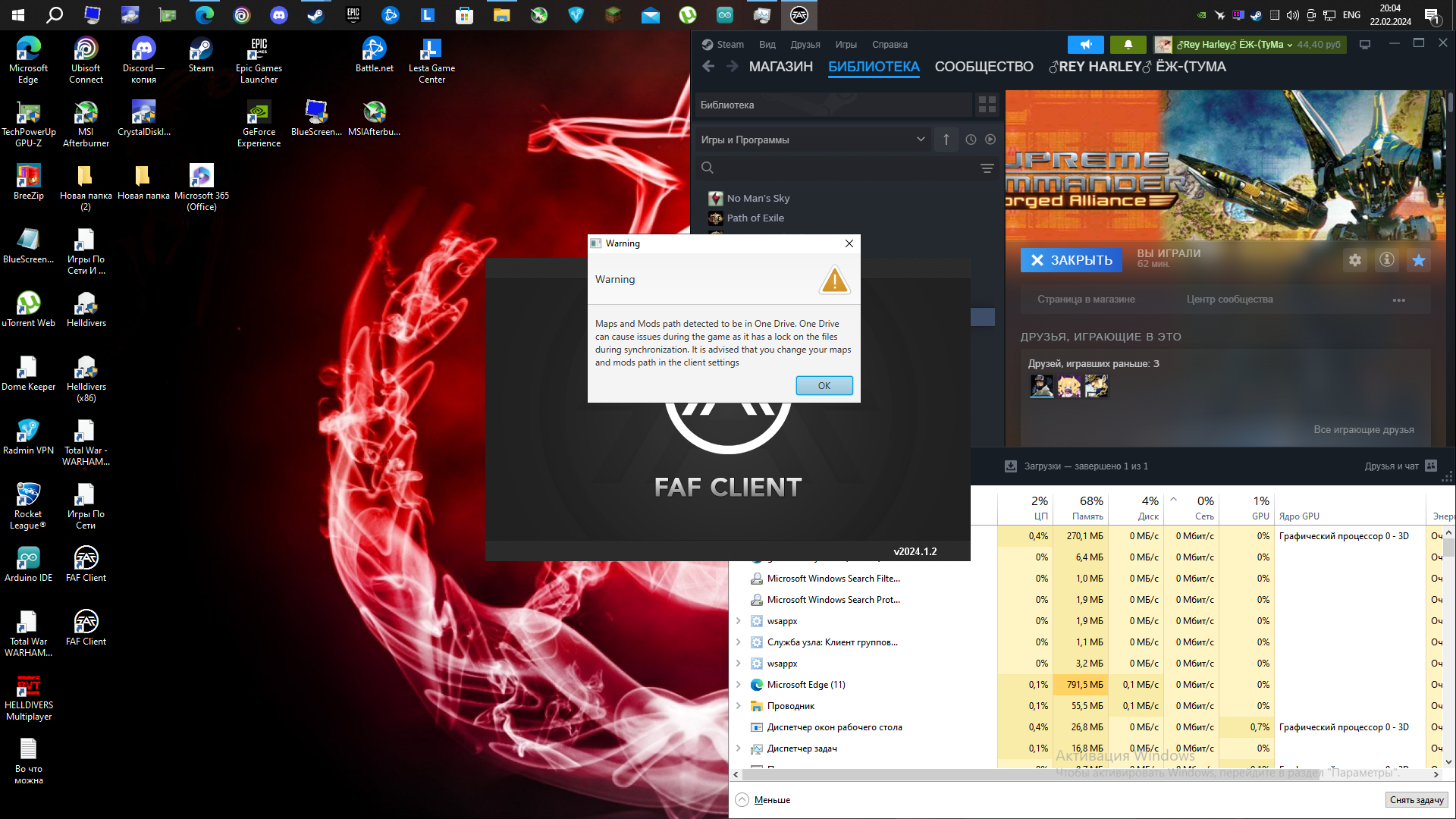
@hedgeho By your screen shots, you appear to have 2 issues.
For the first issue, all versions of SCFA have a difficult time with using network storage systems like OneDrive, Dropbox, etc., so it's highly recommended that you either create a new folder for where FAF will store your maps/mods, such as in the FAF Data Location itself (default is C:\ProgramData\FAForever), a folder at the root of your main drive or on an external drive, & then go to FAF client > top left menu > Settings > Forged Alliance Forever > Maps and Mods Location > Choose... & select the folder you just created or select an already existing folder that isn't on OneDrive.
For the second issue, I can't make out what it could be by the screen shot alone, so please click the Reply button at the bottom between the
 (View) icon & the "Mark unread" button. Next, please go to client > top left menu > Show logs folder > logs > sort by Date Modified. From there, drag/drop your client.log file (the Text Document file without the date) into the Reply message window so those that can help (not me) have that data to look at.
 -
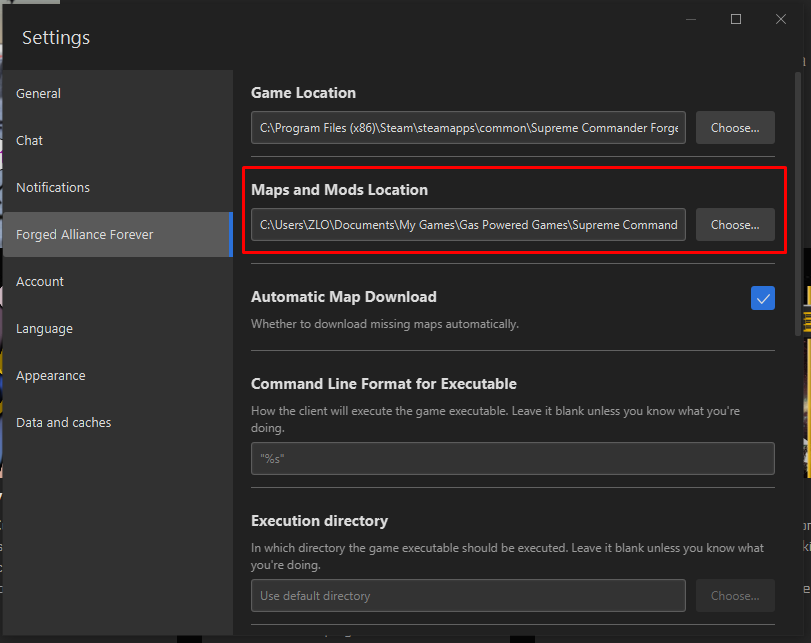
В этом пути не должно быть oneDrive или русских букв, нужно создать новую папку где хочешь и прописать путь к ней


Hello! It looks like you're interested in this conversation, but you don't have an account yet.
Getting fed up of having to scroll through the same posts each visit? When you register for an account, you'll always come back to exactly where you were before, and choose to be notified of new replies (either via email, or push notification). You'll also be able to save bookmarks and upvote posts to show your appreciation to other community members.
With your input, this post could be even better 💗
Register Login