"This app can't run on your PC" - client won't install on 32bit OS
-
update - I am running Windows at 32 bit. Based on what I saw in the discord, it looks like I need to run a 64-bit operating system in order to run the FAF client. New question: is there a 32-bit client I could use?
I downloaded the current version of the client from FAForever.com
When I tried to run the installer, I get the error message:
"This app can't run on your PC
To find a version for your PC, check with the software publisher."
A picture of the error message is:
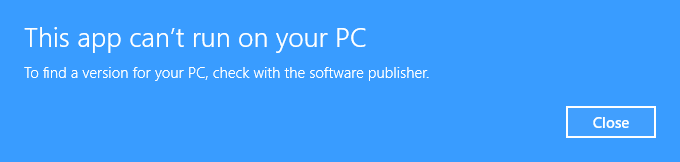
The error message does not give any option to install and it does not say what is wrong.
I am running Windows 10 with an administrator account. I tried running the installer normally and I tried running it as an admin.
I tried re-downloading the file. Same problem.
Also, I was able to run Forged Alliance from Steam.
Any idea what I can do?
-
Apparently this is an issue with Windows 11. Try some of the fixes outlined here: https://windowsreport.com/app-cant-run-windows-10/
-
The FAF client bundles with a 64bit Java runtime. We dropped official support for 32bit ~3 years ago.
All modern CPUs for the last 15 years support 64bit except for Intel Atoms which won't run Forged Alliance anyway, all Windows versions since Windows 7 had a 64bit edition on launch 2009 (even XP had one, but that launched four years aftetr release in 2005).
There is no reason to run a 32bit Windows in 2022.


Hello! It looks like you're interested in this conversation, but you don't have an account yet.
Getting fed up of having to scroll through the same posts each visit? When you register for an account, you'll always come back to exactly where you were before, and choose to be notified of new replies (either via email, or push notification). You'll also be able to save bookmarks and upvote posts to show your appreciation to other community members.
With your input, this post could be even better 💗
Register Login