FAForever Forums
    • Categories
    • Recent
    • Tags
    • Popular
    • Users
    • Groups
    • Login

    Bring lod1 into the game

    Scheduled Pinned Locked Moved Modding & Tools
    10 Posts 2 Posters 669 Views 1 Watching
    Loading More Posts
    • Oldest to Newest
    • Newest to Oldest
    • Most Votes
    Reply
    • Reply as topic
    Log in to reply
    This topic has been deleted. Only users with topic management privileges can see it.
    • SaverS Offline
      Saver
      last edited by

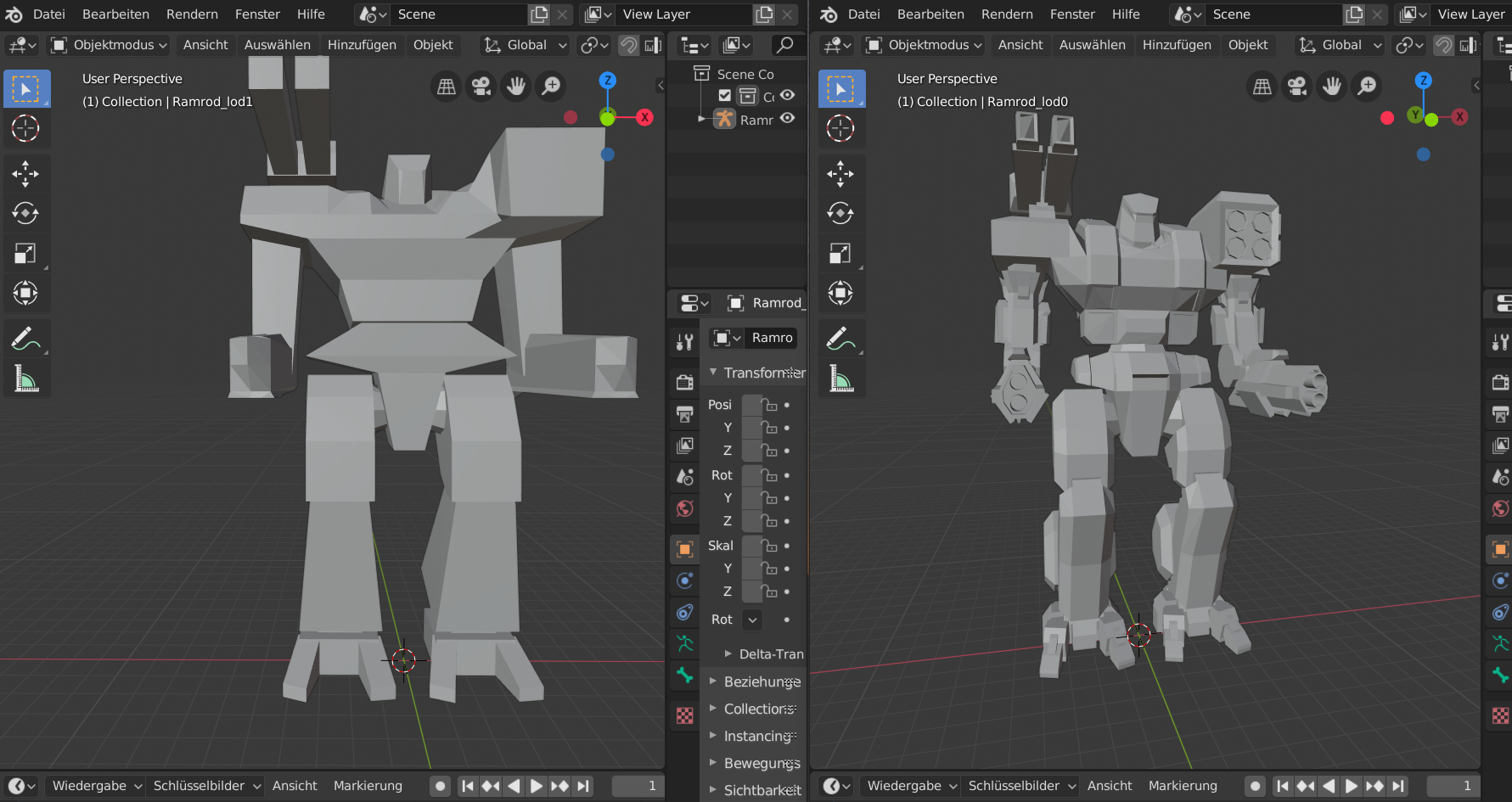
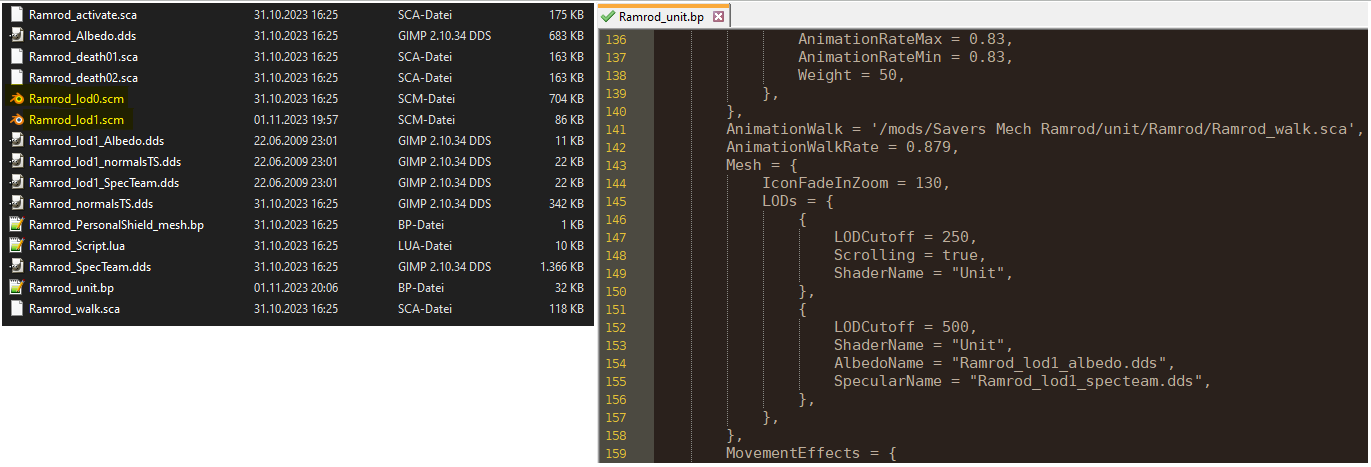
      Hello everyone, does anyone know how I can change the Lod (level of detail) in a unit? So that the file is recognized in the game? In the mod "Savers Fatboy" I just had to add the file. But I think it was because of the process that it was a hook change. If anyone has an idea, I would be very happy. f406a1bb-e8b5-461f-9fef-b65f4cf05832-image.png a2246127-133a-459d-8be2-de5c3cab2cc0-image.png
      1 Reply Last reply Reply Quote 0
      • SaverS Offline
        Saver
        last edited by

        sorry for my bad english.

        1 Reply Last reply Reply Quote 0
        • UvesoU Offline
          Uveso
          last edited by

          Maybe your are missing some variables inside the blueprint.
          This is a full LOD0 + LOD1 table with filepath:

                  Mesh = {
                      IconFadeInZoom = 130,
                      LODs = {
                          {
                              MeshName = '/units/urb0101/urb0101_lod0.scm',
                              AlbedoName = '/units/urb0101/urb0101_albedo.dds',
                              SpecularName = '/units/urb0101/urb0101_specteam.dds',
                              NormalsName = '/units/urb0101/urb0101_normalsTS.dds', 
                              LODCutoff = 200,
                              ShaderName = 'Insect',
                          },
                          {
                              MeshName = '/units/urb0101/urb0101_lod1.scm',
                              AlbedoName = '/units/urb0101/urb0101_lod1_albedo.dds',
                              SpecularName = '/units/urb0101/urb0101_lod1_specteam.dds',
                              NormalsName = '/units/urb0101/urb0101_lod1_normalsTS.dds', 
                              LODCutoff = 500,
                              ShaderName = 'Insect',
                          },
                      },
                  },
          
          1 Reply Last reply Reply Quote 0
          • SaverS Offline
            Saver
            last edited by

            I will try it. Thanks 🙂

            1 Reply Last reply Reply Quote 0
            • SaverS Offline
              Saver
              last edited by

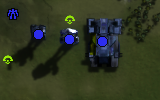
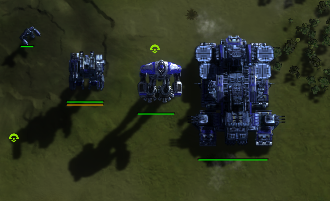
              runningcf90e9fe-1226-449a-9cd0-965d01d36f66-image.png 5f2f59c3-f50d-428f-bcd0-8369bda2d4b3-image.png

              1 Reply Last reply Reply Quote 0
              • UvesoU Offline
                Uveso
                last edited by

                Looks awesome!

                1 Reply Last reply Reply Quote 0
                • SaverS Offline
                  Saver
                  last edited by

                  Unfortunately, this variant is not stable. Unfortunately, the Lod1 is not shown in 5 out of 6 games 😕

                  1 Reply Last reply Reply Quote 0
                  • SaverS Offline
                    Saver
                    last edited by Saver

                    a222ff10-8d11-4f73-9f45-b659384f1828-image.png

                        Mesh = {
                            IconFadeInZoom = 130,
                    	    LODs = {
                                {
                                    MeshName = '/mods/Savers Mech Ramrod/unit/Ramrod/Ramrod_lod0.scm',
                                    AlbedoName = '/mods/Savers Mech Ramrod/unit/Ramrod/Ramrod_albedo.dds',
                                    SpecularName = '/mods/Savers Mech Ramrod/unit/Ramrod/Ramrod_specteam.dds',
                                    NormalsName = '/mods/Savers Mech Ramrod/unit/Ramrod/Ramrod_normalsTS.dds', 
                                    LODCutoff = 250,
                                    ShaderName = 'Unit',
                                },
                                {
                                    MeshName = '/mods/Savers Mech Ramrod/unit/Ramrod/Ramrod_lod1.scm',
                                    AlbedoName = '/mods/Savers Mech Ramrod/unit/Ramrod/Ramrod_lod1_albedo.dds',
                                    SpecularName = '/mods/Savers Mech Ramrod/unit/Ramrod/Ramrod_lod1_specteam.dds',
                                    NormalsName = '/mods/Savers Mech Ramrod/unit/Ramrod/Ramrod_lod1_normalsTS.dds', 
                                    LODCutoff = 500,
                                    ShaderName = 'Unit',
                                },
                            },
                        },
                    
                    1 Reply Last reply Reply Quote 0
                    • SaverS Offline
                      Saver
                      last edited by

                      does anyone else see an error? I guess I'm blind again.

                      1 Reply Last reply Reply Quote 0
                      • SaverS Offline
                        Saver
                        last edited by

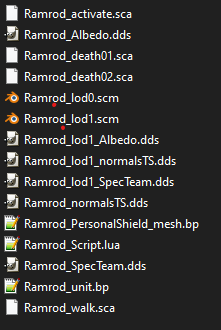
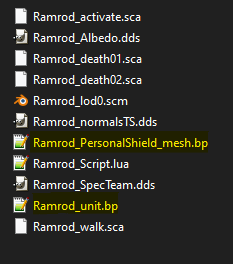
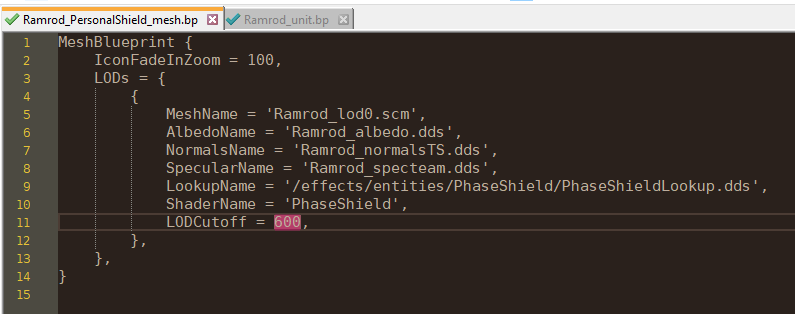
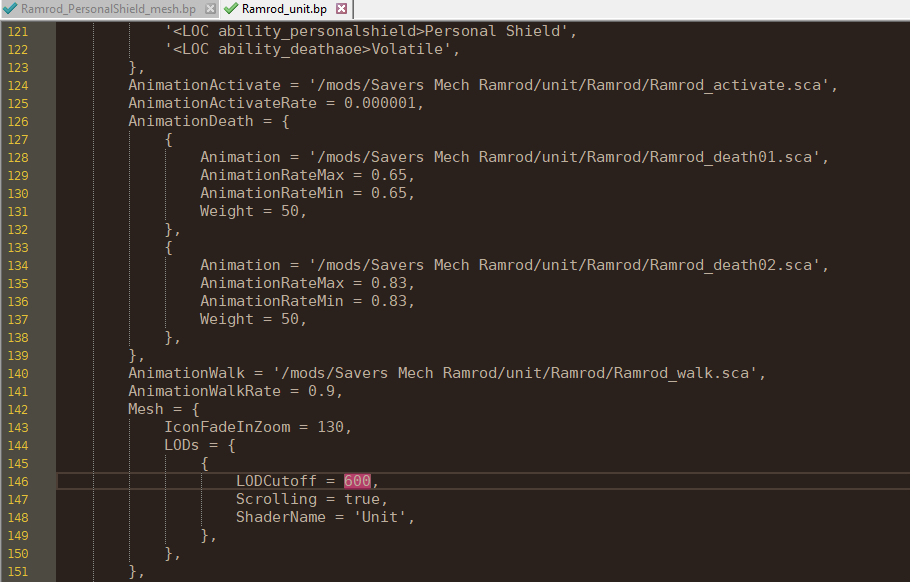
                        Hello everyone, dear CDRMV was able to help me with my problem. To make it more understandable: I also have a Personal Shield in my mech, which also has a LodCut and thus overrides the blueprint. Here is the adjusted data.53644b39-a5a2-4833-b731-03fcb5c0b83d-image.png 74c219e6-8e50-4286-bd33-dd06d6ab3a84-image.png c5ffb795-2fa7-41ee-b717-41edd2e7b41b-image.png I hope my mistakes can help others not to have them in the first place or to find a solution. Once again our community was the solution 🙂
                        1 Reply Last reply Reply Quote 1

                        Hello! It looks like you're interested in this conversation, but you don't have an account yet.

                        Getting fed up of having to scroll through the same posts each visit? When you register for an account, you'll always come back to exactly where you were before, and choose to be notified of new replies (either via email, or push notification). You'll also be able to save bookmarks and upvote posts to show your appreciation to other community members.

                        With your input, this post could be even better 💗

                        Register Login
                        • First post
                          Last post