Bug when changing maps&mod folder
-
I just logged in to FAF and got a message than my maps and mods folder where currently backed up by OneDrive and that moving them was recommended.
So I (logged in) and went to settings etc. and changed the adress. NOTE: I typed the string, I did not press 'choose'
Result:
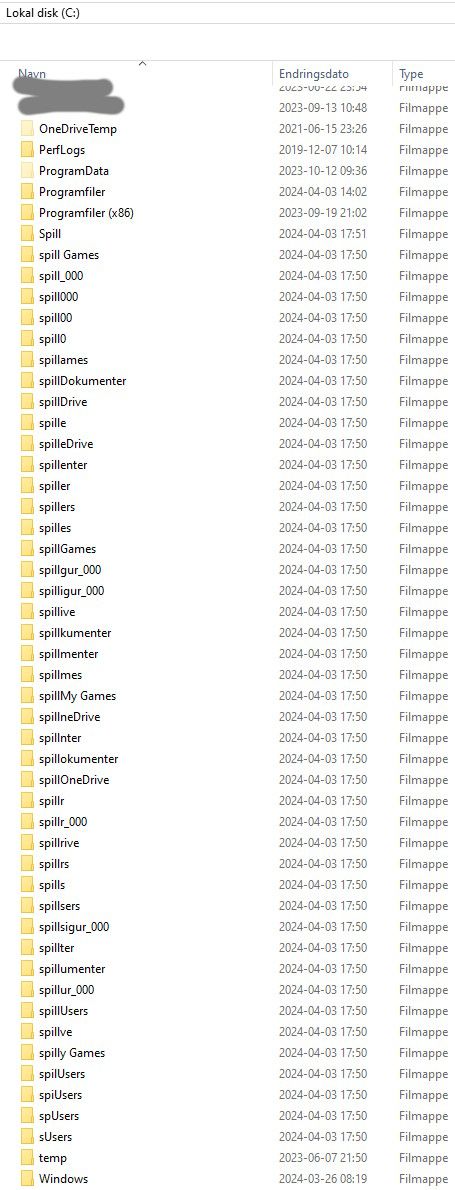
Or in text: It created a lot of empty folders. It did not transfer the files (I did that manually).
I also did, and still do, pray to all the gods and devils that the FAF app didn't delete any files. Also sent a curse in the general direction of your developers.
In seriousness: This was a tad amusing and very many tads unamusing. Fix it?
If I'm not back later today/tomorrow to yell at you some more it's probably because my PC got toast. Or that I forgot. That happens too.
Just to clarify: This is not a joke post on my part.
Kind regards, you silly goofs.
Argor -
@argor said in Bug when changing maps&mod folder:
I typed the string, I did not press 'choose'
Can you clarify this step, please? Did type the path manually in the explorer - Maybe even pressed enter?
-
Can I add image here
-
No, I can't. Ok; word time:
In the FAF client: Settings —> Forged Alliance Forever and then edit the string in "Maps and Mods Location".
Could it be that the client creates a new folder each time I entered or deleted a character?
-
@argor said in Bug when changing maps&mod folder:
Can I add image here
If you click the Reply button at the bottom between the
 (View) icon & the "Mark unread" button, you'll be prompted with a window that will allow you to add images. The quick reply function doesn't have that ability.
 -
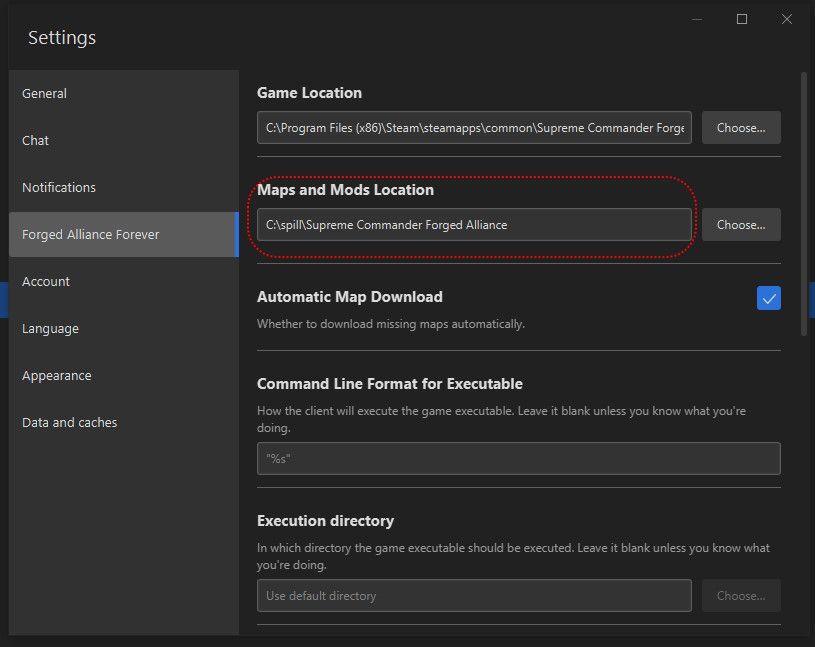
I typed in the red dotted field. I assume that could be the cause of this, but I'm not a professional programmer

-
Thank you very much for providing an image.
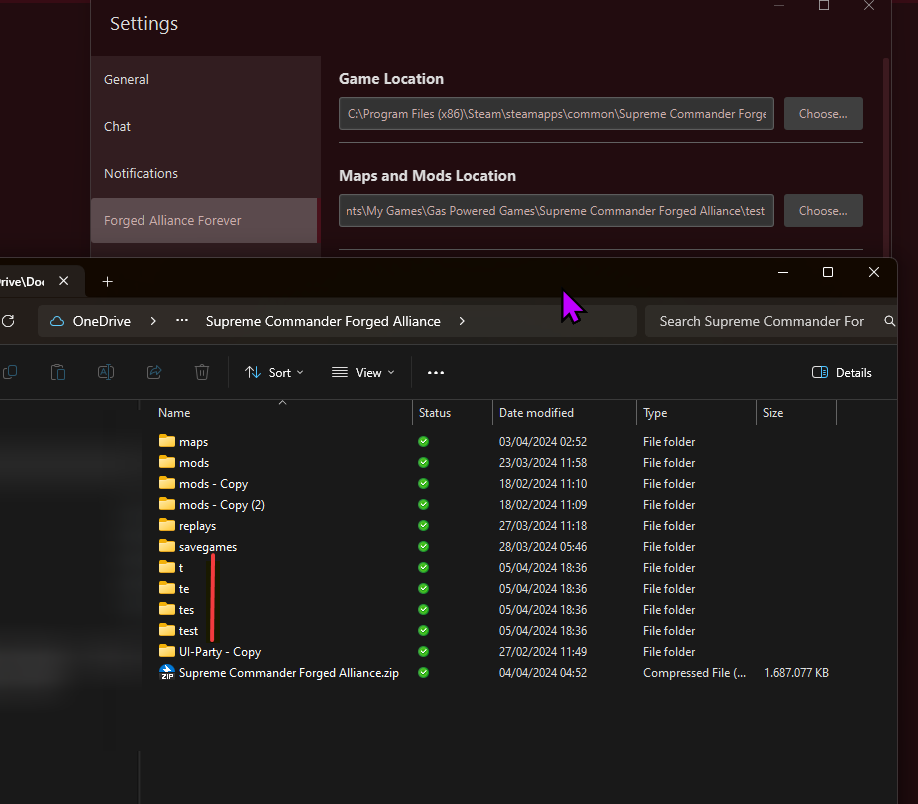
Well, I successfully recreated the issue, by typing "test" into the location field - and for every char it went instantly crazy with the folder structure. I am surprised, I have never heard about that side effect in the last years.
Possible solution without seeing the code: IMO, as a quick-fix, do not allow a user to type anything in both fields (But allow copy via CTRL+C), until it gets fixed - manually choosing only.
I will raise an issue later/tomorrow on GitHub about that.
Edit: https://github.com/FAForever/downlords-faf-client/issues/3160
-
Thanks, magge!


Hello! It looks like you're interested in this conversation, but you don't have an account yet.
Getting fed up of having to scroll through the same posts each visit? When you register for an account, you'll always come back to exactly where you were before, and choose to be notified of new replies (either via email, or push notification). You'll also be able to save bookmarks and upvote posts to show your appreciation to other community members.
With your input, this post could be even better 💗
Register Login