165Hz screen refresh rate with 2k resolution - not working - gray window
-
Hello, guys.
I have a 32" ASUS TUF Gaming monitor and I was using the 2560 x 1440 resolution in 144Hz (HDMI cable). Then I changed to a Displayport cable and I updated all my games res to 2560 x 1440 165Hz (the monitor supports 244Hz, but my video card - GTX 1660 Ti - only supports 165Hz), except SupCom.
I tried many times to change to 2560 x 1440 165Hz, but despite it appears on my res options, it didn't work. My screen simply goes gray and the game stops running, then I have to use alt + F4 to close it, since not even control + alt + del works...
Does the game give us the real option to use 165 Hz? If so, what could be possible wrong?
Please, help me and thanks in advance.
-
Can you share your game logs? You can find the folder through the burger menu in the left-top
-
Sorry, Jip, I'm quite dumb for these system things. I tried to find the logs inside SupCom's folder, but I couldn't. Where can I find 'em?
-
Open the FAF client and click on the "3 stripes" in left top corner. It will open a menu/list where you can pick "show log folder".
The logs are all gonna be there.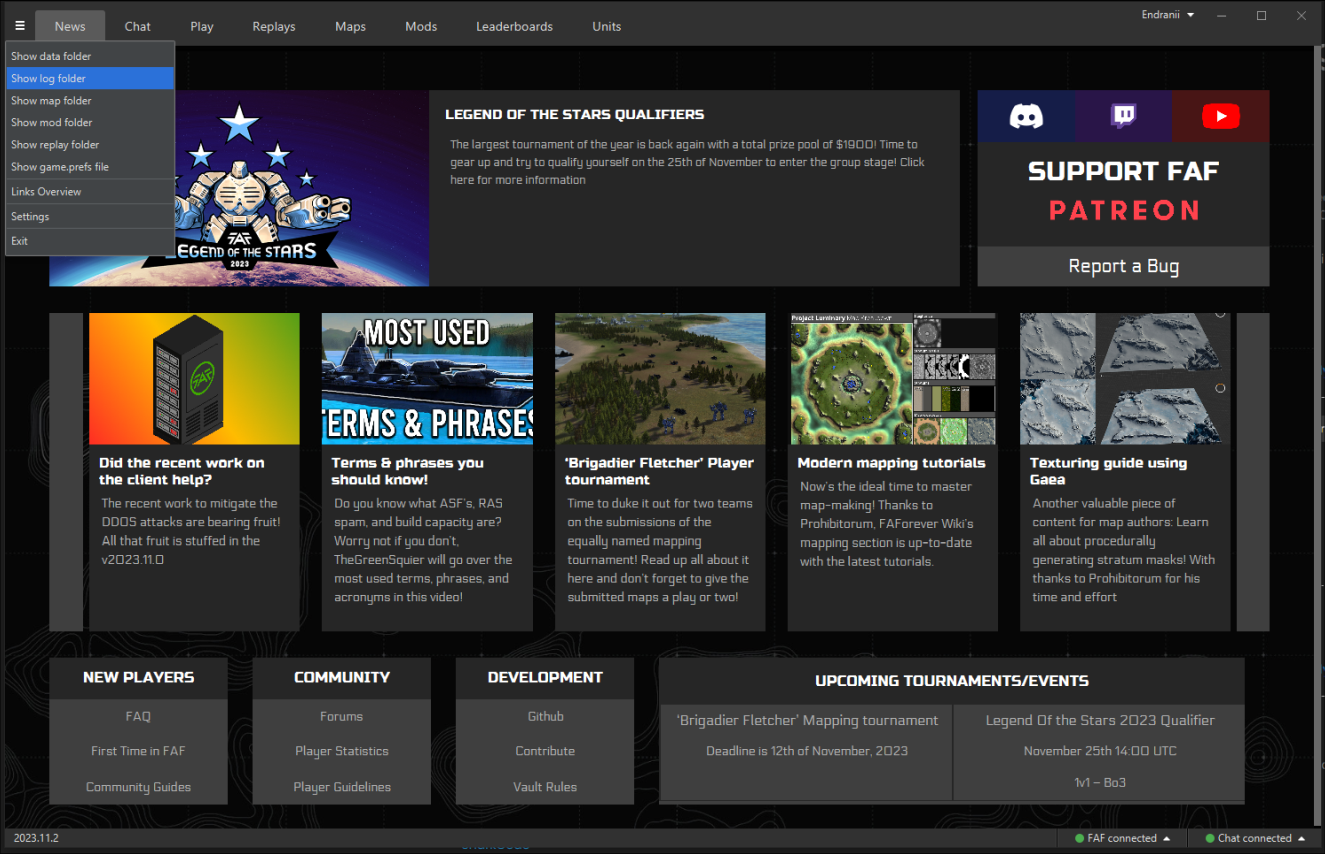
-
@sharkcode Please go to client > top left menu > Show logs folder > logs > sort by Date Modified. From there, drag/drop the most recent game_21xxxxxx.log file (should be of the game that just froze/crashed) into here.
-
@endranii GG WP



Hello! It looks like you're interested in this conversation, but you don't have an account yet.
Getting fed up of having to scroll through the same posts each visit? When you register for an account, you'll always come back to exactly where you were before, and choose to be notified of new replies (either via email, or push notification). You'll also be able to save bookmarks and upvote posts to show your appreciation to other community members.
With your input, this post could be even better 💗
Register Login