Error when trying to install and launch client.
-
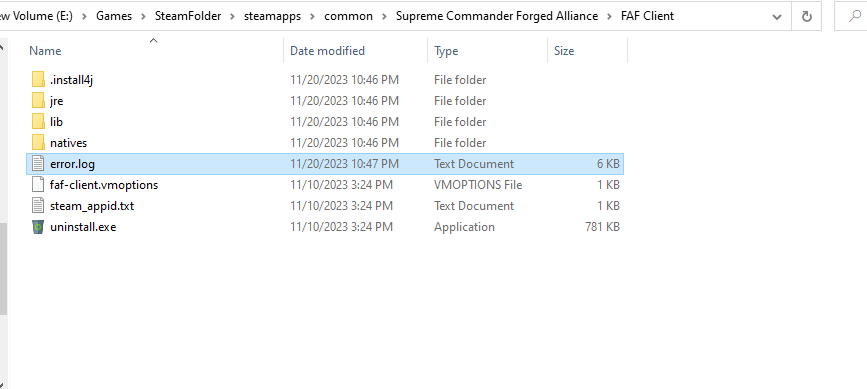
FAF client crashed when trying to update today. I uninstalled and reinstalled, and after launching the client I get an error in the FAF client folder, and the FAFclient.exe automatically removes itself.
I tried installing older versions of FAF client.
I have run the FAFclient.exe as administrator to make sure it has all permissions, still get this error. (I have also tried in different folders)
I have uninstalled and reinstalled FAFclient, Supremecommander and Java, renamed the .openjfx so FAF could rebuild the folder. prism_d3d.dll is never present.
The only thing I can think of is trying to manually install javafx, but I am not entirely sure what that is, and am struggling to find instructions on how to install it on Java 8 as it is "a fully integrated feature of the Java SE Runtime Environment" (im on Java 8 update 391)
Here is the full error:
error.logHere is what my FAF client folder looks like after after trying to run the client - the exe file auto removes itself.
-
The client never auto deletes itself. That is a sign some antivirus is removing the client and it's necessary files.
-
@sheikah yeah seems like it was largely a bad interaction between firewall and AV thanks
Hello! It looks like you're interested in this conversation, but you don't have an account yet.
Getting fed up of having to scroll through the same posts each visit? When you register for an account, you'll always come back to exactly where you were before, and choose to be notified of new replies (either via email, or push notification). You'll also be able to save bookmarks and upvote posts to show your appreciation to other community members.
With your input, this post could be even better 💗
Register Login