Ladder game fails to connect - then blocks me from ladder games
-
So... As the title says, I join the ladder queue, the game launches, goes through much of the process of connecting, then says failed to launch.
After the second I rebooted.
It happened again and gave me a ten minute timeout from the queue.
I waited 15 minutes. It happens yet again.
Now the timeout is 30 minutes!
I am not doing anything except waiting for the client to launch and connect to a match.
Can someone help me undertand what is going on?
And also why this feature exists...?
Cheers!
-
It could be that I have the same problem.
I used to be able to join ladder games without any issues but since yesterday's update I can't join ladder games anymore.It seems to be that I'm stuck on "Match launching" but the FAF client doesn't start Supreme Commander: Forged Alliance (see first screenshot with task manager).
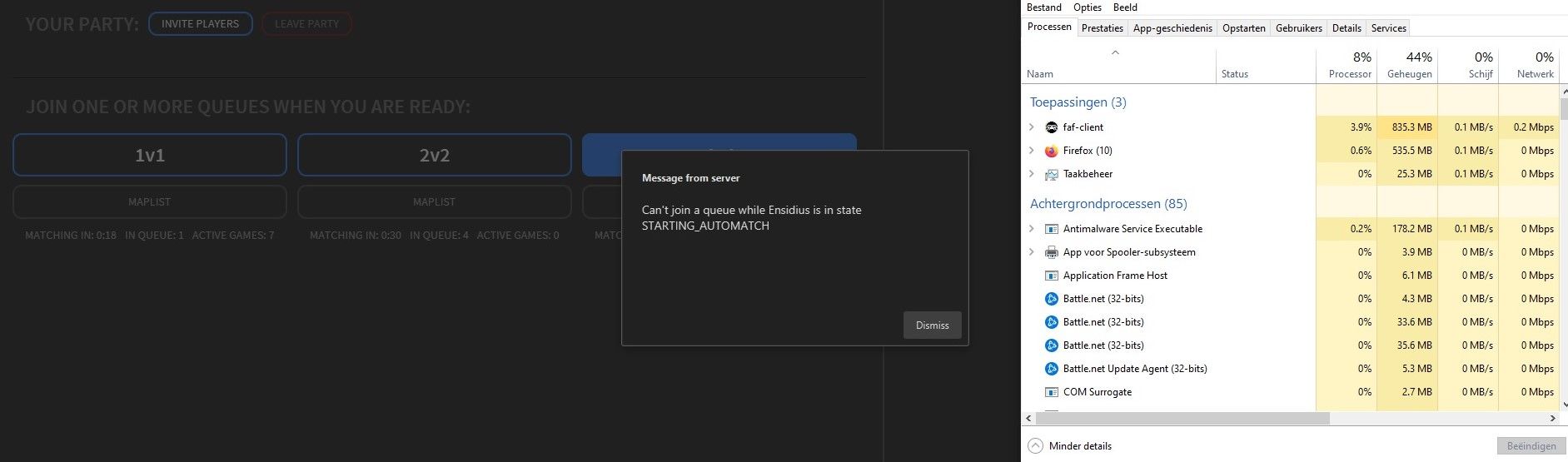
After about 30s, it looks like I'm out of the queue and if I want to rejoin, it says that I'm in the state "STARTING_AUTOMATCH" (see second screenshot).
After another 30s or so, it gives another message that I'm causing connection issues and that further cases will give me a penalty.I've already tried:
- creating single player games -> no issues, game start as normal
- clearing cache -> doesn't resolve the problem
- reinstalling FAF client -> doesn't resolve the problem
As there's no error or crash message, I don't get a log or something that I can give you to help find the cause of the issue.
So I don't really know what to do.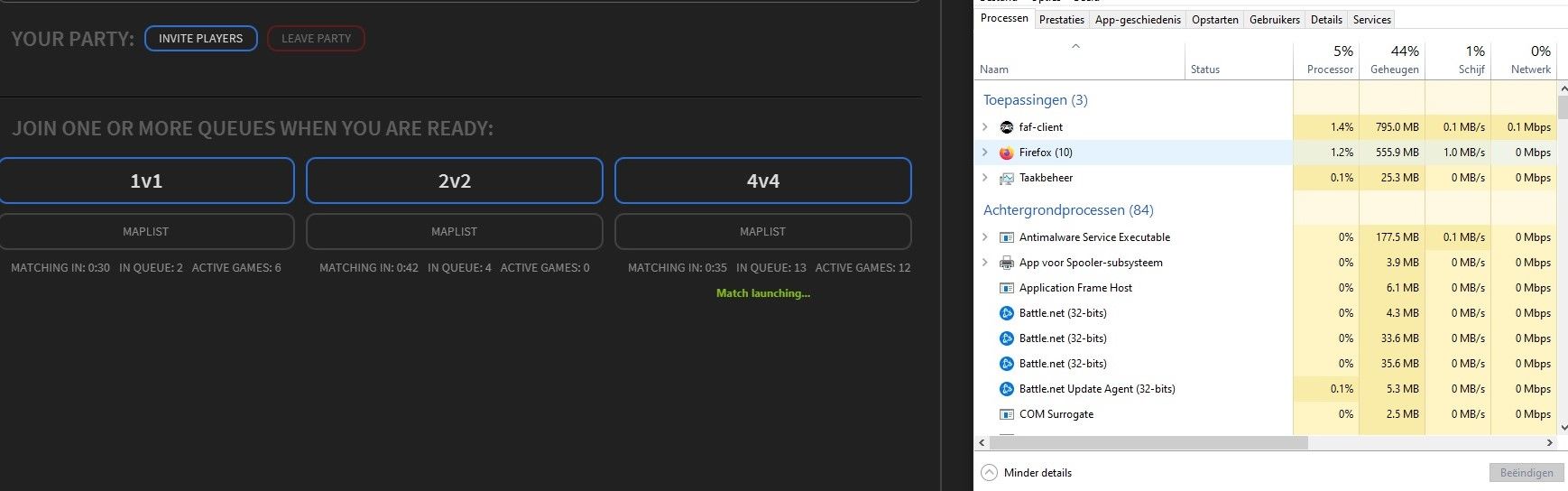
-
Checking "allow ICE adapter to use IP6" and "force relay connection" solved it for me.
However, I do have some lag issues now.
Hello! It looks like you're interested in this conversation, but you don't have an account yet.
Getting fed up of having to scroll through the same posts each visit? When you register for an account, you'll always come back to exactly where you were before, and choose to be notified of new replies (either via email, or push notification). You'll also be able to save bookmarks and upvote posts to show your appreciation to other community members.
With your input, this post could be even better 💗
Register Login