Faf Client crash (it becomes unclickable or fully black)

-
Happened again that the faf-client was exhausting the 150GB virtual memory.
How should i proceed with this? i can't reproduce this reliable , but it happens every 1-3 days.
Can also create a new post, since op is not replying and i don't know if he also got this virtual memory issue -
@katharsas I have the problem with the Client (FAF Client). The game works perfectly.
@magge Do you have a comprehensive link explaining how to do it? Also when you talk about windowed mode, don't you assume that it is my game that is crashing? The alt-tab from the ingame was an example, if I am on my desktop and I open google chrome then go back to FAF Client, it can make this client crash (usually first unresponsive and then going black if I move this screen for instance).
@CasterNumeroUno Thanks. However I am not mining.The symptoms described by @clint089 are exactly what I am experiencing. As he said, it does not turn black directly but it starts to be unresponsive. Then when I try to move the faf client screen or scale it up it can turn black.
-
Try disabling GPU / enabling software rendering by adding
-Dprism.order=swas an additional line toC:\Program Files\Downlord's FAF Client\downlords-faf-client.vmoptions, also remove-Dprism.forceGPU=truefrom the file. -
@katharsas said in Faf Client crash (it becomes unclickable or fully black):
Try disabling GPU / enabling software rendering by adding
-Dprism.order=swas an additional line toC:\Program Files\Downlord's FAF Client\downlords-faf-client.vmoptions, also remove-Dprism.forceGPU=truefrom the file.I just did that, and it still crashs.
[edit]: This change seems to make the situation actually worse. Now it seems to crash each time I open FAF client.
-
Ok well can't do more then just guess here. I would assume that either client data or something about your drivers is wrong/corrupted. Client reinstalling might help, or windows reinstall if nothing else helps.
-
Ok, thanks anyway for your time. (I already reinstalled client but it didnt change anything, maybe reinstalling windows will be the only option). In any case it seems I am not the only one to have this issue though (given the post from @clint089 )
-
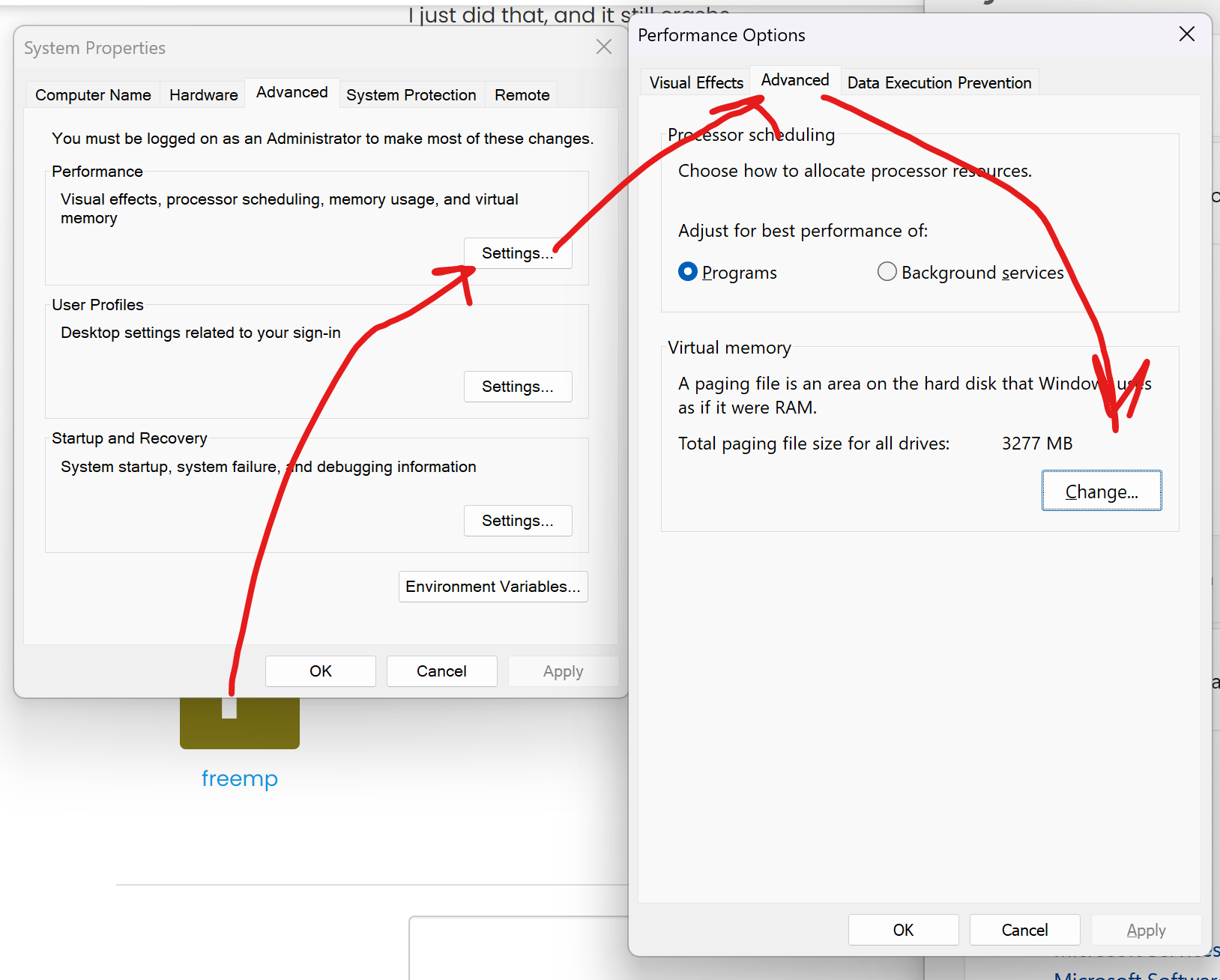
Check this
-
@eternal You ask me to put 3277 MB there?
This is what I have currently (automatically chosen by the computer):
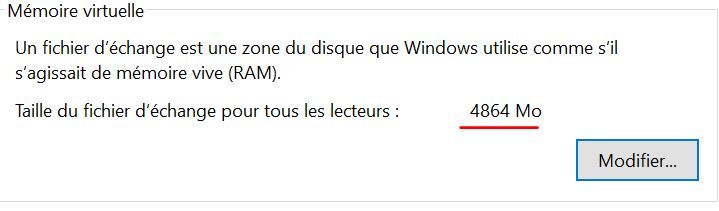
-
@freemp Then it is fine, check older versions?
-
@eternal You mean I should check if I still have the bug with older versions of FAF Client?
-
@freemp yes
-
If that does not work - The fastest solution by now would be simply to reinstall windows, the problem is too obscure to debug it for hours/days to have "maybe" a solution, especially if you are not that tech-savvy.
-
@magge fastest solution - use my client.
At least he would be able to play games
or use legacy client, i guess it is still in work


Hello! It looks like you're interested in this conversation, but you don't have an account yet.
Getting fed up of having to scroll through the same posts each visit? When you register for an account, you'll always come back to exactly where you were before, and choose to be notified of new replies (either via email, or push notification). You'll also be able to save bookmarks and upvote posts to show your appreciation to other community members.
With your input, this post could be even better 💗
Register Login