Mods and Maps I
-
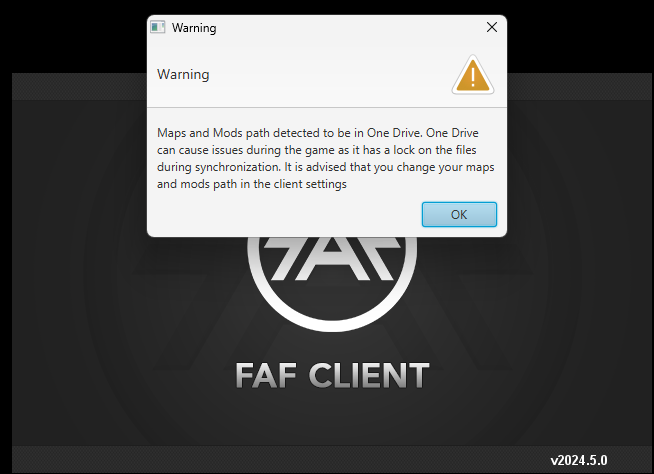
I am having a problem starting the game and trying to redirect my mods & maps file. I'm not sure how to change the path in settings.
-
You can change its path in the FAF client:
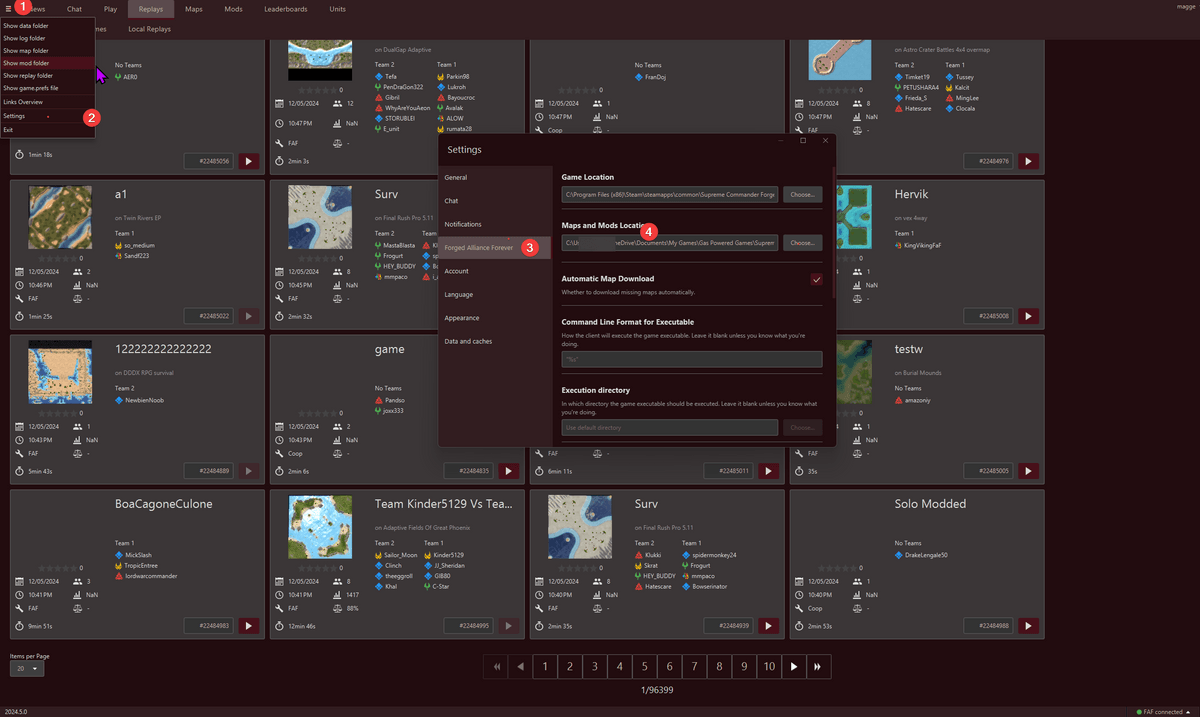
-
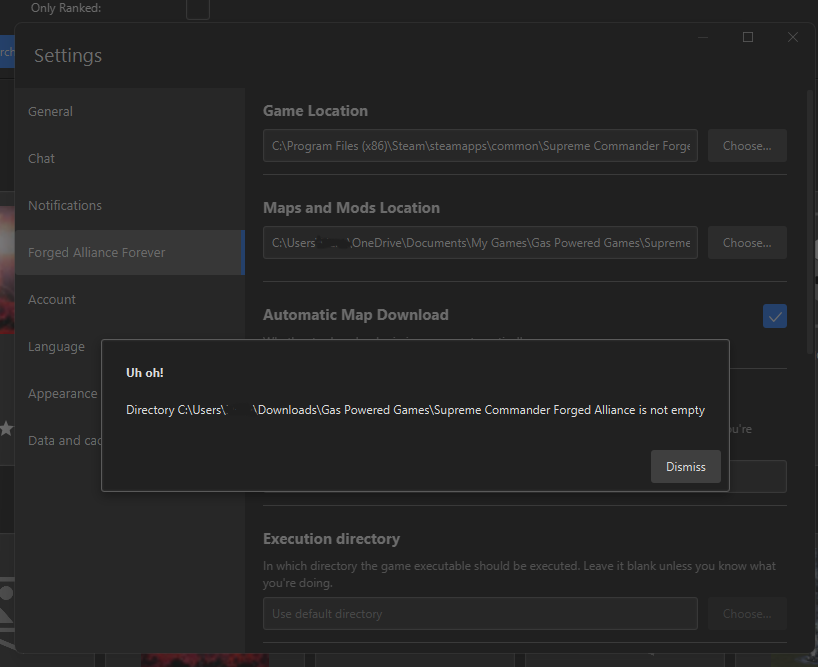
@magge I have tried that as well but it says 'file not empty.
-
Which path do you have chosen? Can you make a screenshot about the error, please?
-
-
My solution was radical, I blocked the OneDrive, after dozens of pop ups like this.
-
@magge I am out right now but I will send it when I get back
-
@blackjaguar i did try that but it still didnt work. I reinstalled the game and the client but still no change as well.
-
-
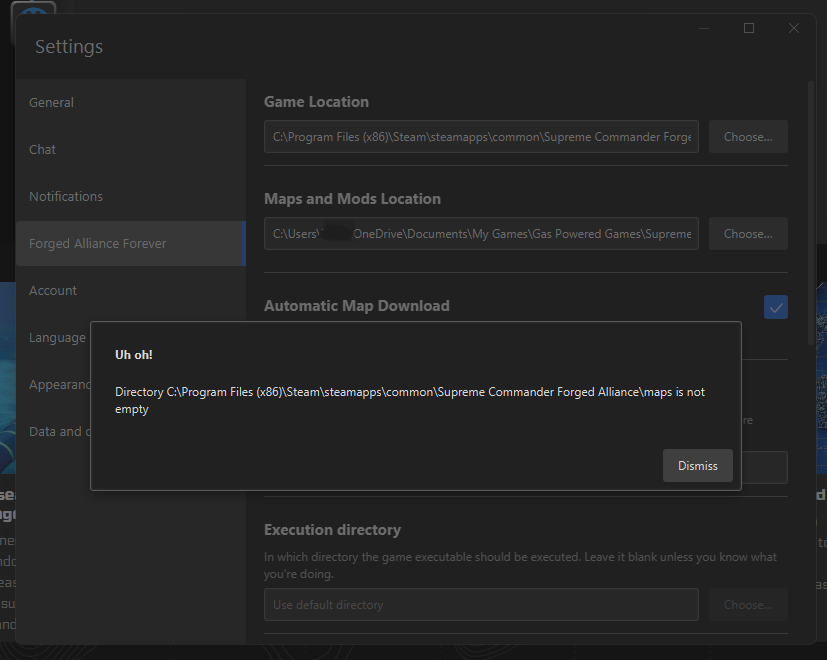
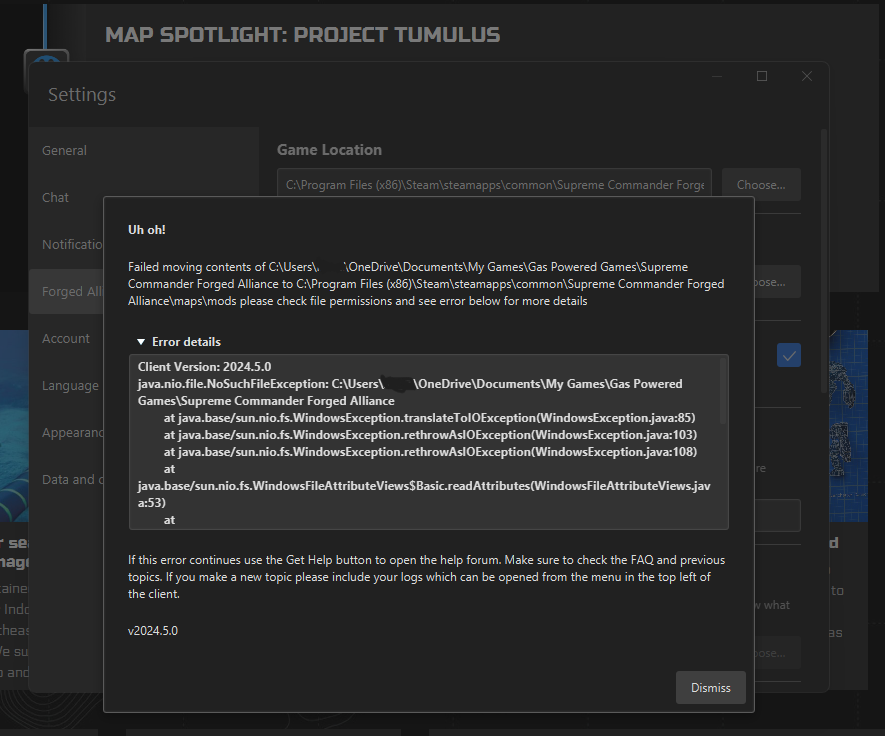
@doubleu The 1st image is when I try to change the location to the maps folder and the 2nd image is when I try creating a new folder and labeling it 'mods' but it shows that.
-
Does the following path work?
C:\FAF\or
D:\FAF\AFAIK You need correct user permission or windows will just deny it by default, when you move files in 'Program Files'. If you chose another drive or a not "protected" folder, it should work.
-
@magge The only folder that is protected and synced by One Drive is the Gas Powered Games folder. I moved it into my Downloads folder which is not synced or protected but still shows the same error.
-
Ok, I fixed it by creating a new folder in my Downloads instead of transferring Gas Powered Games to downloads. Thank you for taking the time to help me and have a great rest of your week!

Hello! It looks like you're interested in this conversation, but you don't have an account yet.
Getting fed up of having to scroll through the same posts each visit? When you register for an account, you'll always come back to exactly where you were before, and choose to be notified of new replies (either via email, or push notification). You'll also be able to save bookmarks and upvote posts to show your appreciation to other community members.
With your input, this post could be even better 💗
Register Login