FaF Client forgets all settings; incl. Hotkeys and so.
-
Everytime I start a game I need to set all my settings and Hotkeys again.
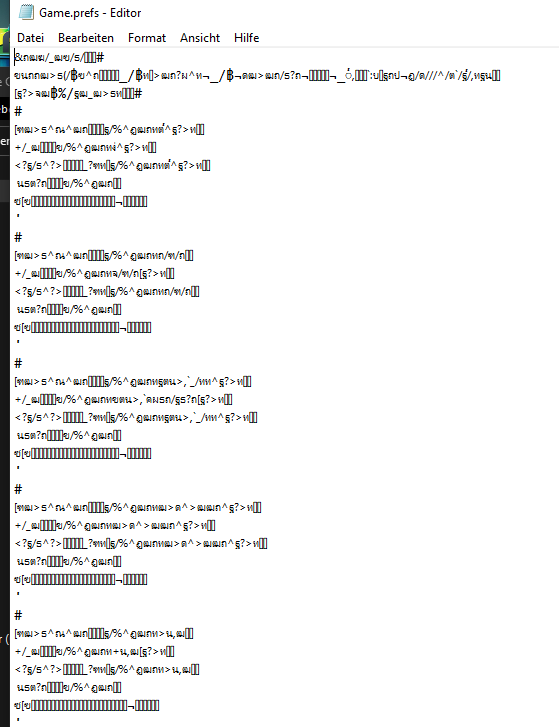
In the folder of SCFA is the game.pref and game.pref BAD-file and the second one also looks corrupted.
Folder:
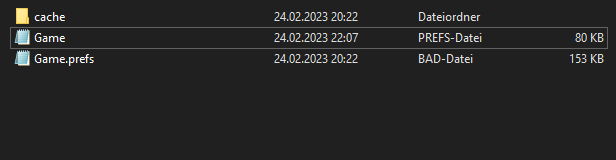
game.pref BAD-file
Thx for any help.
-
Have you tried deleting the game.prefs file and seeing if the issue persists? Try deleting it entirely, let the game recreate it, then update your settings.
-
@exselsior I did but it didnt help. I started a new game fixed the settings but next game they were lost again, unfortunetly.
Dont know if it has smth to do with my client version? Because of a bug I am playing on "2023.2.0-alpha-3". -
It is probably related to your security settings or/and file permissions of your user account.
-
@magge
Sounds possible but I must admit that my knowledge about such things quite small is. As such I need some time for the resolution.
Anyway thx for the quick help. -
Found the solution!
Control panel -> system and security -> windows firewall -> Allow program or feature through windows firewall -> check the box "public" for the FaF-Client
Now all my settings, Hotkeys and mods are saved and loaded. -
Not sure if what you did fixed it, but we also included a possible fix in the game patch, see also:


Hello! It looks like you're interested in this conversation, but you don't have an account yet.
Getting fed up of having to scroll through the same posts each visit? When you register for an account, you'll always come back to exactly where you were before, and choose to be notified of new replies (either via email, or push notification). You'll also be able to save bookmarks and upvote posts to show your appreciation to other community members.
With your input, this post could be even better 💗
Register Login