Changing camera angle for screenshots?
-
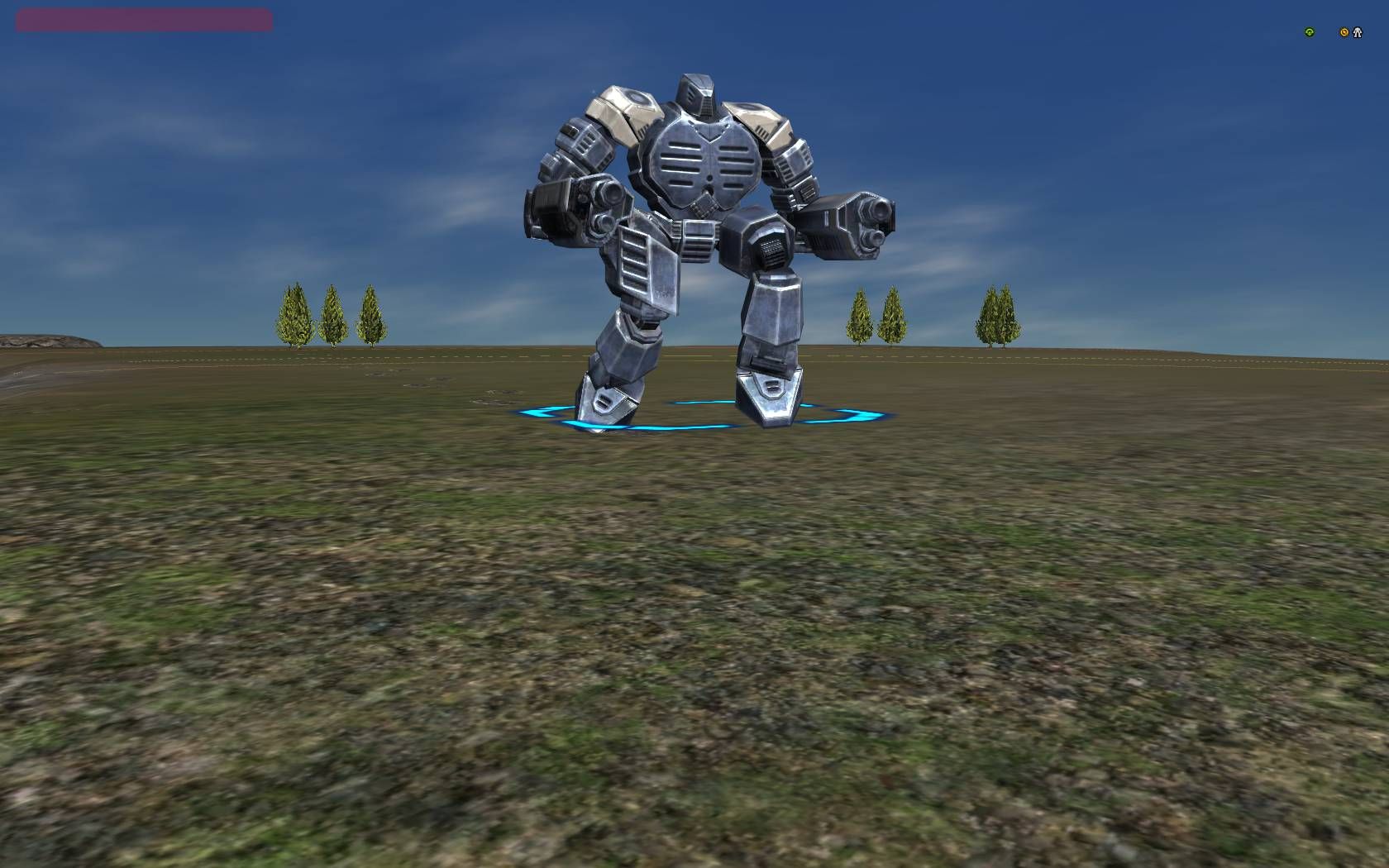
Hoping it's possible to do what i want. I've been playing with all the available camera controls to try and grab some screenshots.
I've been turning off the UI with ctrl+shift+f1, going into freeview with ctrl+v and holding down the spacebar to move around, using T key to track. in a perfect world though I'd love to be able to affect the camera.
The camera seems to be defaulting (when near a tracked unit) to be vertically level with its feet. So when you get really close you lose the acus head for example. If I could change the angle so it's tilted upwards, looking slightly upward it would be great. Or if i could physically move the camera itself vertically upwards. Cannot find those options though. Any ideas?
-
go into freeview, then ctrl-v again with no spacebar, this will give freeview but with mexes and healthbars and you can adjust height, 0 and . (ins and del) on the number pad will rotate the view and there is no height restriction. if you hit space it will exit from this view.

Hello! It looks like you're interested in this conversation, but you don't have an account yet.
Getting fed up of having to scroll through the same posts each visit? When you register for an account, you'll always come back to exactly where you were before, and choose to be notified of new replies (either via email, or push notification). You'll also be able to save bookmarks and upvote posts to show your appreciation to other community members.
With your input, this post could be even better 💗
Register Login