[Tutorial] Windowed Fullscreen, Borderless or Fake-Fullscreen for FAF Supreme Commander
-
How to make Supreme Commander borderless:
Content
- §1
Definitive Supreme Commander Launcher(does not work properly) - §2 Python Script / .EXE
- §3 AutoHotkey Script
- §4 Borderless Gaming
- §5 Additional Solutions
- §6 I need help, nothing works
- §7 Outdated previous guide
§1
Definitive Supreme Commander LauncherEdit:
Current version is bugged - Status: https://github.com/ageekhere/Definitive-Supreme-Commander-Launcher/issues/10Use any other tool, until it gets fixed.
--
Author: thecore
Supports Dual Screen: Yes
More Information on the GitHub project.
Download latest releaseHow-To:
- Set the game to window mode via your in game options menu
- Disable secondary adapter via your in game options menu
- Install the mods 'Common Mod Tools' and 'UI Party' and activate them via FAF Client
- Download latest release, extract the .zip content.
- Start 'Definitive Supreme Commander Launcher.exe'
- Click 'File', then 'Settings', adjust to your liking by following the on-screen instructions, and hit 'Apply'
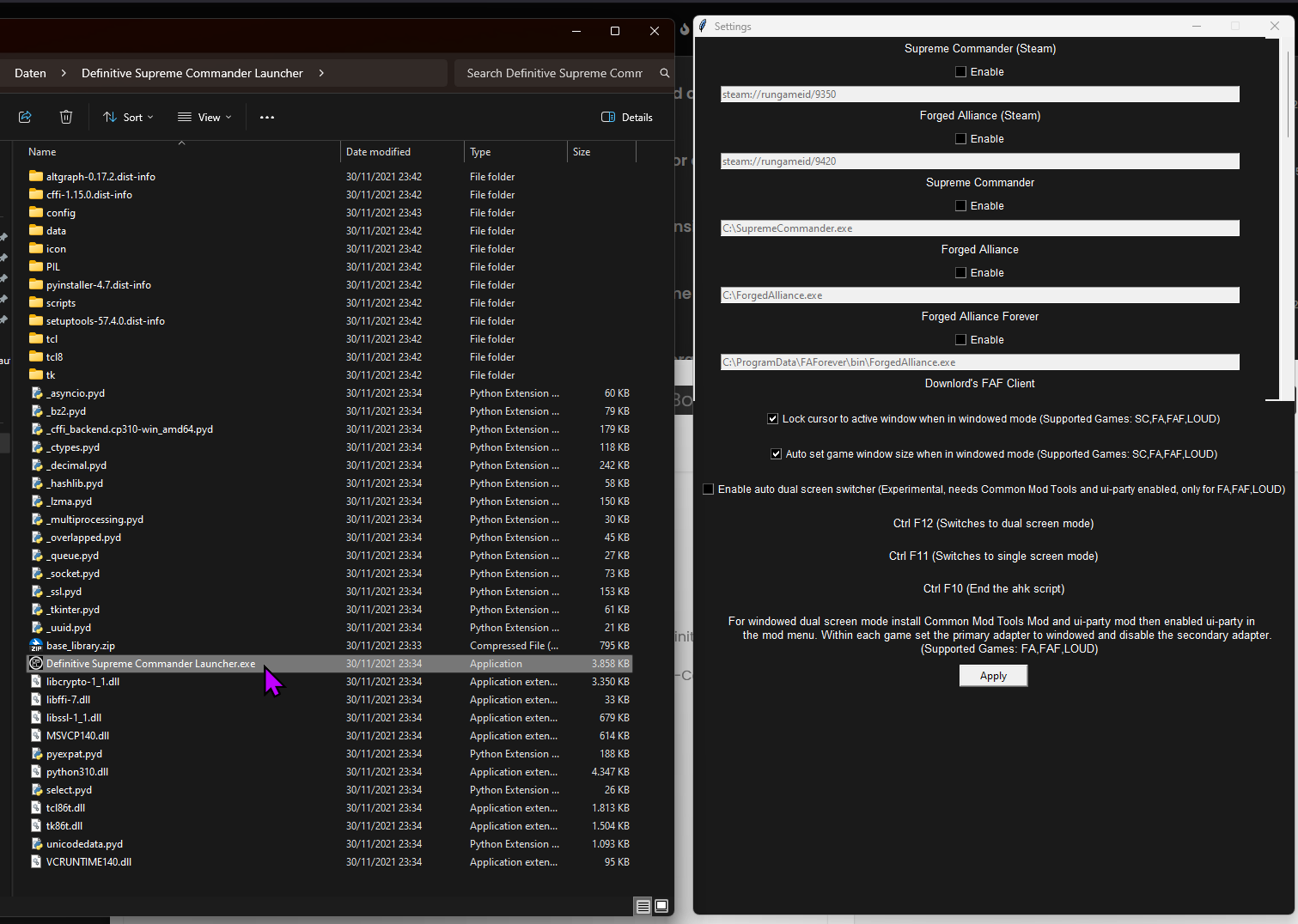
§2 Python Script / .EXE
Author: magge
Supports Dual Screen: No
More Information on the GitHub project.
Download latest releaseHow-To:
- Set the game to window mode via your in game options menu
- Disable secondary adapter via your in game options menu
- Download latest .exe release or compile the script by yourself
- Start the forged_alliance_window_handler.exe
This tool will periodically check every 10 seconds if Supreme Commander is running, if the process gets detected it will make the game borderless.


§3 AutoHotkey Scripts
Authors: The initial script was created by tatsu in the previous guide thread and modified by many others to their liking.
Supports Dual Screen: UnknownNote: If anyone wants to enhance the script to support dual screens or to make it compatible with version 2+ of AutoHotkey, then please PM me.
This four-step guide is the most basic setup for one monitor full screen, which should work for nearly all use cases:
- Set the game to window mode via your in game options menu
- Disable secondary adapter via your in game options menu
- Install autohotkey version 1.1, (script does not work with 2+) from https://www.autohotkey.com/
- Download attached file and extract the .rar → right-click the script ⇾ Run Script
Download: ForgedAlliance_Borderless.rar
(.ahk scripts are not allowed to attach, content of the script can be seen in the next section for easy copy & paste or download the .rar and extract the script.)
Script explanation:
This AutoHotkey script periodically checks if a process named "ForgedAlliance.exe" is running. The script minimizes and maximizes the window as a way to update the window's appearance and to remove any glitches that may occur due to the removal of the window border.
You can pause/edit the script if you click on the green H icon in your right taskbar.
For any special cases like several monitors, I would suggest the tool Definitive Supreme Commander Launcher (see above).
If any questions, just ask.
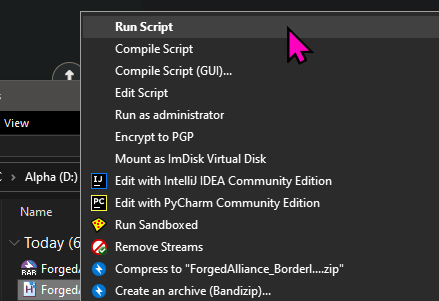
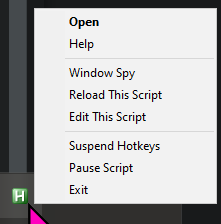
AutoHotkey Script content:
#NoEnv
SendMode Input
SetWorkingDir %A_ScriptDir%
#Persistent
procName := "ForgedAlliance.exe"
SetTimer, CheckProc, 2000
Return


CheckProc:
    If (!ProcessExist(procName))
        Return

    WinGet Style, Style, % "ahk_exe " procName
    If (Style & 0xC40000)
        {
        WinSet, Style, -0xC40000, % "ahk_exe " procName
        WinMinimize , % "ahk_exe " procName
        WinMaximize, % "ahk_exe " procName
    }
    Return

ProcessExist(exeName)
{
   Process, Exist, %exeName%
   return !!ERRORLEVEL
}
return
§4 Borderless Gaming
Supports Dual Screen: Unknown
More Information on the GitHub project.
Download latest releaseBorderless Gaming is a simple tool that will allow you to turn your windowed video games into "full-screen" applications without all of the negative side effects
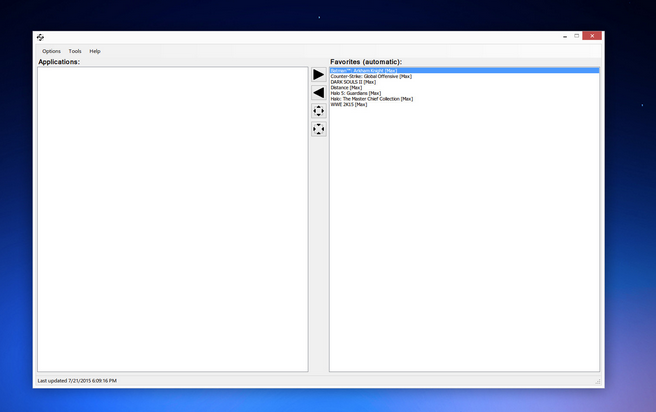
§5 Additional Solutions
There are numerous AHK scripts and other tools floating around, and I have no idea what is currently working or not. If you have another solution, I would appreciate it if you give me a PM so we can add it to the above list.
§6 I need help, nothing works
If you have any questions or need further guidance, please make your own thread here:
https://forum.faforever.com/category/4/i-need-help
or
https://discord.com/channels/197033481883222026/1083855787518079066
§7 Outdated previous guide
As a reference, the previous guide:
https://forum.faforever.com/topic/123/guide-fake-fullscreen-and-optimisation - §1
-
 M magge locked this topic on
-
 T tatsu referenced this topic on
-
T tatsu referenced this topic on
-
T tatsu referenced this topic on
-
T tatsu referenced this topic on
-
M magge referenced this topic on
Hello! It looks like you're interested in this conversation, but you don't have an account yet.
Getting fed up of having to scroll through the same posts each visit? When you register for an account, you'll always come back to exactly where you were before, and choose to be notified of new replies (either via email, or push notification). You'll also be able to save bookmarks and upvote posts to show your appreciation to other community members.
With your input, this post could be even better 💗
Register Login