FAForever Forums
    • Categories
    • Recent
    • Tags
    • Popular
    • Users
    • Groups
    • Login

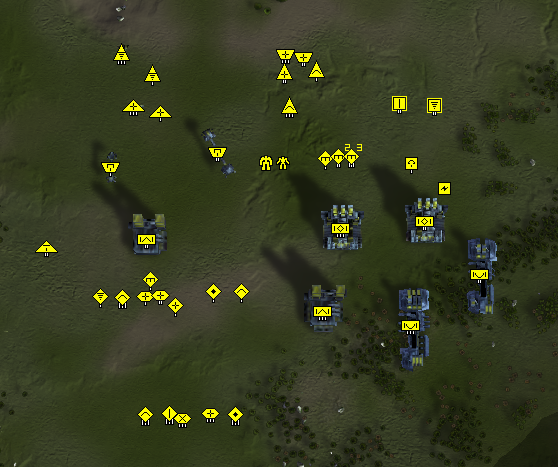
    EternalStrategicIcons [UI]
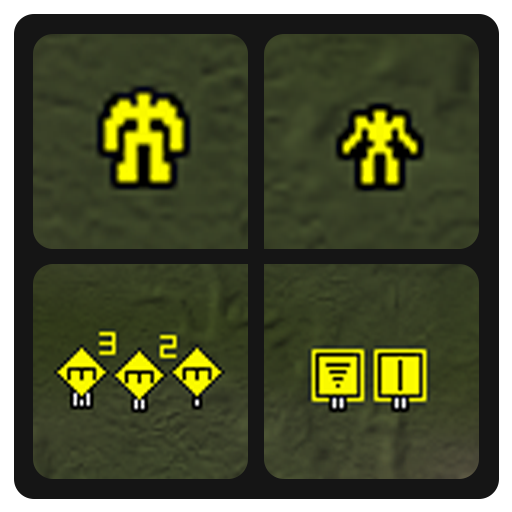
    Scheduled Pinned Locked Moved Modding & Tools
    uimodeternal-modpack
    38 Posts 14 Posters 4.5k Views 1 Watching
    Loading More Posts
    • Oldest to Newest
    • Newest to Oldest
    • Most Votes
    Reply
    • Reply as topic
    Log in to reply
    This topic has been deleted. Only users with topic management privileges can see it.
    • Eternal-E Offline
      Eternal- @DesertWolf216
      last edited by

      @desertwolf216 Some hours 😄

      Profile | Eternal MOD pack | Check new client

      1 Reply Last reply Reply Quote 0
      • AmygdalaA Offline
        Amygdala
        last edited by

        @Eternal tried the mod today and i like it. However, the 150% icons are to big for my screen. Do you have a smaller version or the icons as well?

        1 Reply Last reply Reply Quote 0
        • Eternal-E Offline
          Eternal-
          last edited by

          @Amygdala Sorry, i made them to myself to fit in 1920x1080 screen xD

          Profile | Eternal MOD pack | Check new client

          AmygdalaA 1 Reply Last reply Reply Quote 0
          • AmygdalaA Offline
            Amygdala @Eternal-
            last edited by

            @eternal a then nevermind. thanks for coming back so quickly

            1 Reply Last reply Reply Quote 0
            • VIPV Offline
              VIP
              last edited by

              @Eternal would be great if u make 200% scale of icons mod

              1 Reply Last reply Reply Quote 0
              • Ctrl-KC Offline
                Ctrl-K
                last edited by

                @VIP I would also suggest typing in game console ui_StrategicIconScale which allows you to set scale for strategic icons. By default to open console press tilda (`). For example ui_StrategicIconScale 2

                deletethisD VIPV 2 Replies Last reply Reply Quote 3
                • deletethisD Offline
                  deletethis @Ctrl-K
                  last edited by deletethis

                  @azath0th said in EternalStrategicIcons [UI]:

                  @VIP I would also suggest typing in game console ui_StrategicIconScale which allows you to set scale for strategic icons. By default to open console press tilda (`). For example ui_StrategicIconScale 2

                  Dark knowledge from The Blind Idiot God

                  1 Reply Last reply Reply Quote 0
                  • Ctrl-KC Offline
                    Ctrl-K
                    last edited by

                    This post is deleted!
                    1 Reply Last reply Reply Quote 0
                    • VIPV Offline
                      VIP @Ctrl-K
                      last edited by

                      @azath0th thank you for advice
                      ui_StrategicIconScale 1.3 value suit good for QHD resolution, too bad scaled icons look not that good but its better than nothing.

                      1 Reply Last reply Reply Quote 0
                      • Ctrl-KC Offline
                        Ctrl-K
                        last edited by

                        Yeah, not rounded scale values are not good for sure, but that's at least possible after my patch

                        1 Reply Last reply Reply Quote 0

                        Hello! It looks like you're interested in this conversation, but you don't have an account yet.

                        Getting fed up of having to scroll through the same posts each visit? When you register for an account, you'll always come back to exactly where you were before, and choose to be notified of new replies (either via email, or push notification). You'll also be able to save bookmarks and upvote posts to show your appreciation to other community members.

                        With your input, this post could be even better 💗

                        Register Login
                        • First post
                          Last post